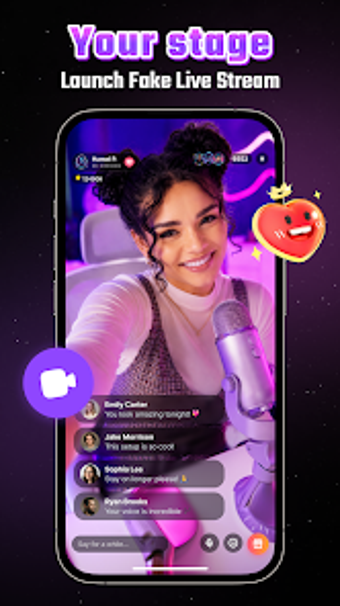
AI Fans: Live Stream Simulator mimics viral streaming for practice
AI Fans: Live Stream Simulator, developed by Nexara Studio, gives aspiring creators a private, risk‑free stage to rehearse live broadcasts. The app simulates a live-platform broadcast by generating an on-screen audience that posts comments and reacts in real time, letting users test pacing and delivery. It offers adjustable stream settings, simple presentation controls, and progress tracking. The target audience includes aspiring creators, role-players, and users seeking practice or light entertainment without a real follower base.
What the app does and who it's built for
The app recreates a live broadcast setting so a single user can practice hosting without outside viewers. It runs a simulated audience that posts comments, sends likes, and triggers animated gifts while the user controls titles, topics, and audience mood. That design aims specifically at people who want rehearsal time, role-play scenarios, or prank-style clips, not at creators seeking real analytics or live monetization.
How the simulation operates during a session
Real-time UI updates drive the session experience, because the app generates live comments and animated virtual gifts on the fly. Those dynamic elements keep the screen active and require continuous rendering, which means the app produces frequent visual updates while a session runs. Users should expect the phone to maintain an active display and visual workload for the duration of a broadcast simulation.
Safety, privacy, and intended limits of feedback
The environment is designed as private practice rather than audience measurement. The tool creates an internal audience of AI-generated fans so users can rehearse without exposing a real account or followers. That makes it suitable for practicing delivery, but simulated reactions are not the same as external audience response and should not be treated as platform-level validation.
Ease of use and required skill level
Operation centers on selectable stream settings and short sessions, so users interact by choosing titles, adjusting viewer counts, and starting a broadcast simulation. The interface mimics common live platforms for familiarity, and the achievement tracker records session milestones. Casual users can use the app for basic rehearsals; people seeking technical analytics or genuine engagement should pair sessions with recorded video review for more actionable feedback.
Practical choice for rehearsal with a clear limitation
AI Fans is a practical option for aspiring creators who need a private rehearsal space, because it produces on-device simulated audience interactions that let hosts practice timing and delivery. The main limitation is that AI-generated feedback cannot substitute for genuine external engagement metrics. Tip: record your simulated sessions and compare them to real broadcasts to translate practiced habits into measurable improvements. Recommended.